


Fluvsies Academy - Kids Games
4.427.00 Reviews
App Specs
- Version
- 5.0.20
- Updated On
- License
- Free
- Downloads
- 100,000+
- Developer
- TutoTOONS
- Categories
- Educational
- Platform
- Android
Screenshots
 Analysis by AppCompare
So, you’re on the hunt for a fun and educational game for your little ones? Look no further because Fluvsies Academy - Kids Games might just be the app you’ve been searching for! I recently downloaded this adorable game, and let me tell you, it’s packed with charm and learning opportunities.
Unpacking the Adorable World of Fluvsies
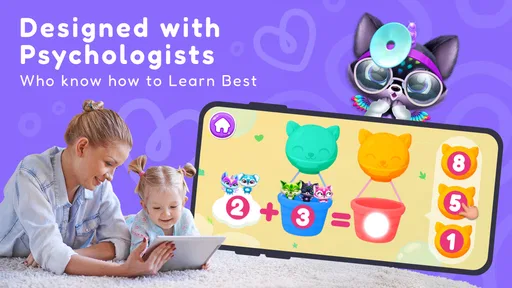
First things first, let’s dive into what Fluvsies Academy is all about. The app is designed to be an engaging educational experience for kids, offering a colorful and interactive world filled with the cutest virtual pets, known as Fluvsies. These furry little creatures are sure to capture your child’s heart. The idea is simple yet brilliant—take care of these adorable pets, complete tasks, and watch as your little ones learn without even realizing it.
Learning Through a Familiar Playful Focus
The most useful way to think about this game is as a gentle introduction to learning through play, rather than as a replacement for a lesson or a structured learning program. Its central appeal is the connection between caring for Fluvsies and taking part in activities. That gives a young child a friendly reason to keep exploring, while the educational side can sit alongside the fun instead of feeling like a worksheet on a screen.
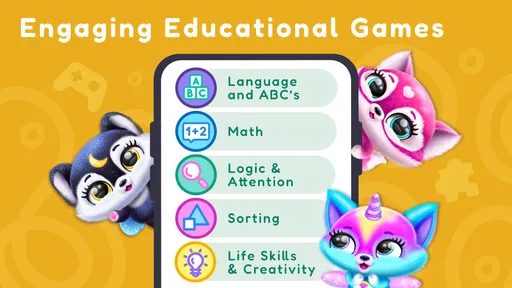
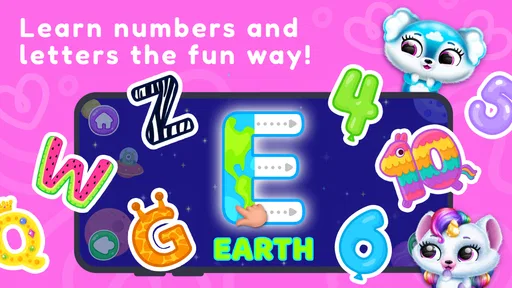
The store description highlights math and key life skills, so parents looking for a first learning game can see the intended direction. I would still treat it as a playful supplement, not a way to measure a child’s progress. A child may be drawn to the pets and tasks more than to the learning objective, and that is normal: the value here is creating a positive, low-pressure setting for trying activities.
How to Make a Short Play Session Count
For a toddler, I’d introduce the game when there is time to sit nearby for a few minutes, rather than handing over a device during a rushed transition. Let the child choose a task, then ask a simple question about what they are doing. If an activity involves counting or making a choice, talking through it together can turn tapping into a small conversation. This is a practical way to keep the screen session social without taking control away from the child.
Another useful approach is to let the child lead the order of play. If they want to return to a favorite activity or spend time with a pet, that can be a better starting point than insisting on completing every task. Younger children often learn best when they feel comfortable exploring, and a short session that ends happily is more useful than a longer one that ends in frustration.
It also helps to set expectations before opening the game. A simple “we’ll play one activity, then put the tablet away” makes the stopping point easier to understand than an abrupt interruption. This is especially handy while waiting for an appointment or settling in after a meal: the game can fill a small gap, but it is less suited to becoming an open-ended babysitter.
Worth Reading Before You Choose

EA SPORTS FC Mobile 26 Is a Bigger Football Game, but It Takes Time

Flipboard Shows What News Apps Must Do Beyond the Feed

Switching to Android Auto Means Rethinking Your Driving Routine

Google Calendar Makes a Crowded Week Easier to Manage

Ludo King Makes the Most of the Minutes Between Plans

Baby Panda World Brings Quick Play to Modern Phones, but Its Game Library Feels Busy
Where It Fits Beside Other Kids’ Games
Compared with a basic number-practice app, this game has a more character-led feel. That can be an advantage for a child who responds to pets and imaginative play but quickly loses interest in direct drills. Compared with open-ended drawing or dress-up games, its educational framing gives parents a clearer reason to offer it, though a creative app may be preferable when the goal is simply to make something without prompts or tasks.
That distinction matters when choosing what to download. If you want a focused tool for practicing a particular skill, a dedicated learning app may provide a more direct routine. If you want a calm activity built around a familiar character world, this is likely the more inviting choice. I’d use it as one option in a small mix of screen activities rather than expecting a single game to cover every kind of play or learning.
Good Moments for Fluvsies Academy
A realistic use case is a quiet stretch at home when a parent is nearby but needs to prepare a snack or put away a few things. The child can start an activity independently, and an adult can check in, ask what the Fluvsie is doing, and help if navigation becomes confusing. This works best when the device is already set up and the child knows the basic routine; it is not the moment to troubleshoot or introduce a new game while everyone is in a hurry.
It may also suit a short trip or a waiting room, provided the child is comfortable using the device and the session has a clear end. I would not rely on it to settle every restless moment. Some children prefer talking, toys, or a book when they are tired, and colorful screen play can be too stimulating at the wrong time. Matching the activity to the child’s mood is more important than trying to make the game fit every situation.
What Parents Should Keep in Mind
The game is free to download, but it includes optional in-app purchases priced from $9.99 to $59.99 per item. That is a meaningful consideration for a family game, especially if a child can browse or tap through screens without understanding that purchases involve real money. I recommend setting device-level purchase controls before handing over the phone or tablet and checking the purchase prompts together, rather than assuming a young child will know when to stop.
There is a practical trade-off between a child’s independence and an adult’s oversight. A simple interface can help a little one navigate without constant help, but a parent should still take a look at how the child moves through the game and whether any prompts lead to purchase screens. The right level of supervision depends on the child’s age and familiarity with devices; “easy to use” does not mean “no need to check in.”
The game is rated for Everyone, and TutoTOONS is the developer. It has a 4.0 average from around 267 ratings, with over 100,000 installs. Those figures suggest it has found an audience, but they can’t tell me whether its style will suit a particular child. I would pay more attention to whether the child enjoys the pet-centered presentation and whether the activities hold their attention without turning play into a battle over the device.
Who Is Most Likely to Enjoy It?
I’d consider it for a toddler who likes cute characters, enjoys simple interactive activities, and is beginning to explore basic learning games with an adult close by. It may be especially appealing to a child who needs a playful hook to try a task. If your child is already happiest with open-ended building, outdoor play, or stories, there is no need to push this game just because it has an educational angle.
It is also not the best fit for parents seeking a formal curriculum, detailed progress tracking, or a tightly focused practice tool. The appeal is a blend of character-based play and learning, not a promise of a structured course. For a child who needs very little visual stimulation, or who becomes upset when screen time ends, a quieter activity away from the device may be the wiser pick.
Small Choices That Improve the Experience
Before the first session, I’d check that the device has enough battery and that purchase settings are in place. Those two small steps reduce the chance of interruptions and help keep the experience predictable. It is also worth watching the child use the controls once: if they can move between activities comfortably, you can step back a little; if they get stuck, show one route and let them try it again instead of navigating for them every time.
Version 3.0.12 requires Android 6.0 or later. That makes the system requirement straightforward to check before installing on an older device. The game is free to start, but the optional purchases mean I would make the download decision with the whole household in mind, particularly if several children share one device and may encounter the same purchase options.
Game Features That Stand Out
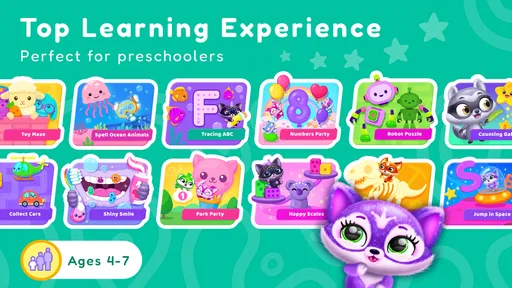
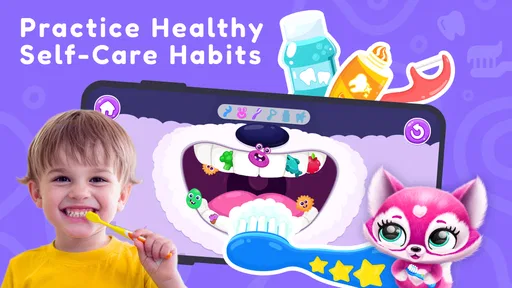
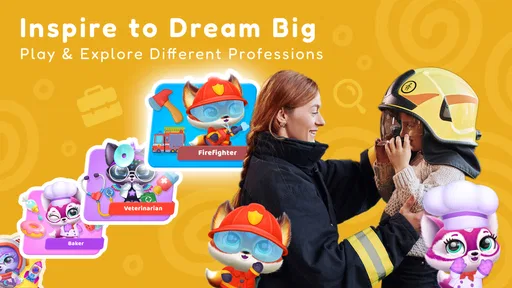
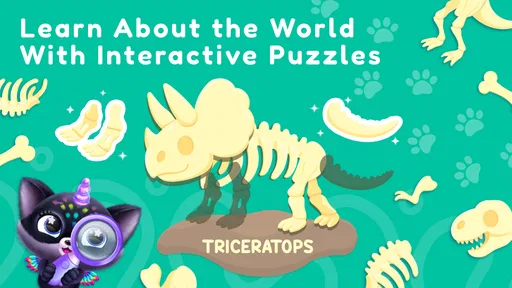
The game is jam-packed with features that will keep your kids entertained for hours. One of the standout features is the variety of activities. Kids can participate in mini-games that help develop skills like problem-solving, creativity, and even some basic math. It’s all cleverly disguised as play, but trust me, the educational value is real.
Another cool feature is the customization options. Your child can dress up their Fluvsies in different outfits and accessories, which adds a fun layer of personalization to the game. This isn’t just about aesthetics; it encourages creativity and decision-making as kids pick and choose how to style their pets.
Graphics and User Experience
Let’s talk about the visuals for a second. The graphics in Fluvsies Academy are vibrant, inviting, and perfectly suited for young eyes. The user interface is intuitive, making it easy for kids to navigate through the game without needing constant help from adults. This independence is a great confidence booster for the little ones.
The sound design is also noteworthy. The cheerful music and sound effects are engaging without being annoying—a delicate balance that many kids’ games struggle to maintain. Plus, the game runs smoothly without any noticeable glitches, which is always a plus in my book!
Why Kids (and Parents) Love It
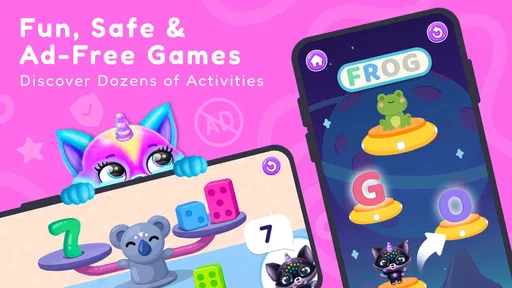
So, why is Fluvsies Academy a hit among both kids and parents? It’s simple. Kids love the fun, interactive gameplay and the feeling of accomplishment they get from completing tasks. Parents, on the other hand, appreciate the educational aspects and the safe, ad-free environment the app provides. It’s a win-win!
There’s a real sense of achievement as kids progress through the game, unlocking new Fluvsies and earning rewards. This keeps them motivated and engaged, which is fantastic for their development.
Final Thoughts
In conclusion, Fluvsies Academy - Kids Games is a delightful app that offers a perfect blend of fun and learning for young children. It’s a safe, engaging, and educational environment where kids can explore, play, and grow. If you’re looking for an app that your kids will love and that you can feel good about, give Fluvsies Academy a try. You might just find yourself enjoying the colorful world of Fluvsies, too!
Pros
- Engaging educational content for kids.
- Bright
- colorful graphics keep attention.
- Simple controls suitable for young users.
- Encourages creativity and problem-solving.
- Regular updates with new activities.
Cons
- Limited content in the free version.
- In-app purchases may be needed.
- Requires internet for some features.
- May not challenge older children.
- Ads can interrupt gameplay.
FAQs for Fluvsies Academy - Kids Games
What is Fluvsies Academy - Kids Games about?
Fluvsies Academy is an educational game designed for kids, focusing on fun and interactive learning. It offers a variety of mini-games and activities that help children develop cognitive skills and creativity. The game features adorable characters and vibrant graphics that engage young players, making learning a delightful experience.
Is Fluvsies Academy safe for children to use?
Yes, Fluvsies Academy is designed specifically with children in mind. It features a safe, ad-free environment that ensures kids can play without unwanted interruptions or exposure to inappropriate content. Parental controls may also be available to manage screen time and monitor usage effectively.
What age group is Fluvsies Academy suitable for?
Fluvsies Academy is suitable for children aged 3 to 8 years old. The game is tailored to cater to the developmental stages of preschool and early elementary school children, offering age-appropriate challenges and learning opportunities that align with their growing cognitive and motor skills.
Does Fluvsies Academy require an internet connection?
Fluvsies Academy can be played both online and offline. While some features may require an internet connection, such as updates or additional content downloads, the core gameplay and activities are accessible without being connected to the internet, making it convenient for on-the-go play.
Are there in-app purchases in Fluvsies Academy?
Yes, Fluvsies Academy does offer in-app purchases. These may include additional content, characters, or customization options. However, all purchases are optional, and the game is fully playable without them. Parents can manage or restrict in-app purchases through device settings to prevent unauthorized spending.


